Start With an Event Management Platform That Keeps Everything in One Place
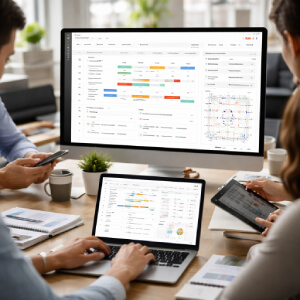
Scattered spreadsheets and overflowing email threads are where event planning goes wrong. A dedicated event management platform pulls your schedules, task lists, vendor contacts, floor plans, registration data, and team communication into a single shared space - so nothing falls through the cracks.
Most platforms let you:
- Build and manage detailed timelines with milestone tracking
- Assign tasks to team members and monitor deadlines in real time
- Store vendor agreements, contracts, and contact details in one place
- Manage attendee registration, ticketing, and check-in workflows
- Collaborate with your team without relying on email chains
Use Collaboration and Workflow Tools to Keep Teams Aligned
Most event delays trace back to scattered communication, not a shortage of effort. When approvals sit in someone's inbox, tasks get handed off verbally, or three people are editing the same document simultaneously, things slip. Project management and real-time collaboration tools fix that by giving everyone a shared view of what's happening.
Platforms like Asana, Trello, and Monday.com let you assign tasks with deadlines, track progress at a glance, and flag bottlenecks before they become problems. You can build a full event timeline, attach files directly to tasks, and collect feedback without chasing anyone down. For communication, Slack and Microsoft Teams reduce the need for long email threads by keeping conversations organized by topic or team. Google Workspace handles shared documents, spreadsheets, and schedules in one place, so version confusion largely disappears.
There's no denying that the biggest risk isn't using the wrong tool - it's using too many. When your venue team is on Trello, your AV partner is emailing spreadsheets, and your internal staff is texting updates, nothing connects. Pick one core workflow system and get everyone on it. Even a basic setup in Monday.com or Asana, used consistently, will outperform a sophisticated multi-platform approach that nobody follows.
Choose Specialized Tools for Registration, Budgeting, and Guest Experience
Right choices with event management tools can ensure a smooth function for the whole time. Say goodbye to piecemeal infrastructure if you are serious enough to dedicate different platforms for registration, budgeting, and attendants: this will help to smooth out the wrinkles all the way.
Without clear priorities, planning can drift. Choices multiply, comparisons creep in, and the original purpose of the gathering becomes harder to see.
Registration and Ticketing
Signing people up should never be the hard part. Platforms like Eventbrite and Tito handle online registration, payment collection, and ticket distribution automatically. Attendees get confirmation emails without you lifting a finger. Both tools also generate check-in lists you can manage from a phone on event day, which saves real time at the door.
Budgeting and Expense Tracking
Staying on budget gets messy fast without a dedicated system. Google Sheets templates or pre-built QuickBooks event budgets let you track deposits, vendor payments, and remaining balances in one place. Shared spreadsheets work well for small teams because everyone sees the same numbers in real time. Surprises still happen, but at least you'll see them coming.
Attendee Communication and Engagement
Reaching guests at the right moment matters more than most planners expect. Mailchimp handles segmented email reminders and post-event follow-ups without requiring a marketing background. For hybrid or virtual events, Zoom Events manages registration and sessions together. Slido adds live polls and Q&A to presentations, which keeps audiences genuinely engaged rather than passively watching.
Not every event needs all of these. A small corporate dinner might only need a ticketing tool and a shared budget sheet. Picking one reliable option per category is enough to make a noticeable difference.
Build a Simple Event Tech Stack Without Adding More Complexity
More tools do not automatically mean fewer problems. Plenty of teams have ended up juggling five platforms that barely talk to each other, spending more time on software than on the actual event. The smarter move is to start by identifying where your workflow actually breaks down.
Before choosing anything, ask yourself where time gets lost. Is it chasing RSVPs? Coordinating vendors across email threads? Manual check-in on the day? Name the bottleneck first, then find a tool that solves it specifically.
When evaluating options, run each one through a short checklist:
- Ease of use for non-technical team members
- Mobile access for on-site staff
- Integration with tools you already use
- Transparent pricing with no hidden tiers
- Responsive customer support
- Reporting features that show real post-event data
- Scalability as your events grow
Begin by selecting two to three essentials rather than going for a full suite in the first place. A registration tool, a communication platform,and a shared project tracker are sufficient for most small to mid-scale events without confusing your training team.
Use a live team environment to test for all tools before subscribing. A 14-day trial brings forth more than any product demonstration. After each event, hold a brief review: review all of the places that saved time, where consumers hit major pains points, and drop all. Be cautious to observe only those softwares which you truly lack, not because a flashy new platform looks nice.
Better Tools Make Better Events With Less Stress
The efficacy of writing tools lies in whether they steal your time or give them back to you. Those who realize the highest profits are those that usually display a particular propensity to opt for these kinds of tools where "one thing can be improved at a time." More transparent workflows translate into lesser frequency of missed tasks, while quality collaboration makes sure that the venue, the vendors, and your team work on the same page and not within a number of forwarded emails. Enhanced visibility in registration or through budgets and logistics helps to indicate problems early, at a time when they could still be dealt with easily. If your current processes and systems seem disorganized, consider conducting an even more rudimentary audit-which will be actually productive, even if done manually. Within this audit, simply note down the ways in which they run down, or the processes that slow, come to a halt, or have gaps or misses and do away with either the former or the latter. Well-targeted plug-and-play tools bring about more success in a change initiative than the best-laid, most complex plans, and upgrades thereof. All practical tips-an actual improvement will only occur with a considerable amount of organization and simplicity.
Quick Links
With the kind support: